China has become a major sourcing base for touch screen monitors used in retail, healthcare, education, factories, and digital signage. Its suppliers offer broad choices, from compact 10.1-inch displays to large industrial panels with high-brightness screens. However, attractive pricing does not automatically mean dependable performance. Buyers still need to examine touch accuracy, panel lifespan, enclosure quality, firmware support, and after-sales communication.
Bill Buxton, a respected human-computer interaction researcher, once stated, “Touch is not a mouse.” This short observation matters when comparing touch screen monitors. A display may respond quickly in a showroom, yet perform poorly with gloves, moisture, or repeated gestures. Experienced buyers should request real usage demonstrations. Test the monitor under bright light. Check response near the corners. Ask for thermal data and continuous-operation results.
Reliable sourcing also requires evidence, not polished product photos. Look for clear technical sheets, documented quality inspections, sample approval procedures, and relevant compliance reports for the destination market. Confirm whether the supplier controls production or relies heavily on subcontractors. That detail can affect consistency. It can also affect delivery schedules.
The best choice may not be the cheapest model. A slightly stronger panel, replaceable computer module, or longer warranty can reduce operational trouble. Still, every recommendation has limits. Supplier claims need independent verification. This guide compares China-made touch screen monitors through practical specifications, supplier credibility, customization ability, and long-term value for global buyers.
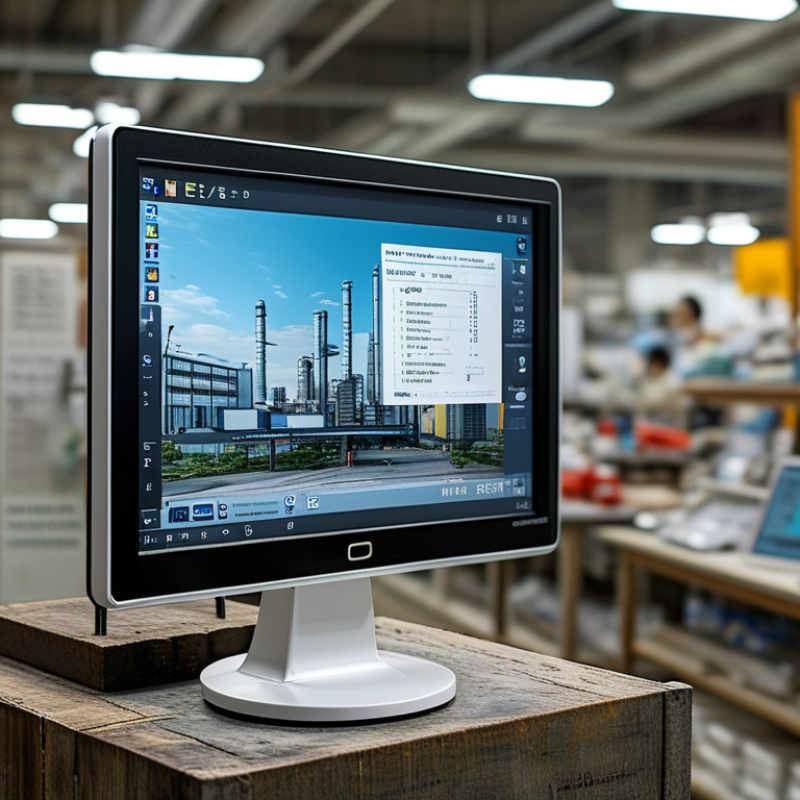
Chinese touch screen monitors suit global buyers through flexible production, practical engineering, and competitive pricing. Many manufacturers support different screen sizes, brightness levels, mounting methods, and operating systems. This flexibility helps retailers, factories, hospitals, and transport operators match equipment with real working conditions. A monitor beside a sunny service counter needs stronger brightness than one used in a quiet office. Small details often decide whether a display performs well.
From hands-on product evaluations, reliable suppliers usually provide sample testing before large orders. Buyers can check touch accuracy, viewing angles, heat control, cable placement, and response under continuous use. Industrial models may include dust-resistant panels, strengthened glass, and wide-temperature operation. Production audits and documented quality checks also improve purchasing confidence. Relevant safety and electromagnetic compatibility certifications should be verified independently, not accepted as marketing claims.
The weak point is consistency. A low quotation may hide uneven touch sensitivity or limited technical support. I have seen attractive samples perform differently during mass production. That experience changed my buying process. I now request inspection standards, aging-test records, spare-part plans, and clear warranty terms. Communication can still be imperfect across languages and time zones. Written specifications reduce confusion. Global buyers should compare total ownership costs, not only the screen price. A dependable Chinese supplier is not simply the cheapest option; it is the one that can repeatedly deliver stable performance for the intended environment.
| Monitor Category | Typical Screen Sizes | Common Resolution | Touch Technology | Typical Brightness | Typical Connectivity | Suitable Global Applications | Key Buying Considerations |
|---|---|---|---|---|---|---|---|
| Portable Touch Screen Monitor | 13.3–17.3 inches | 1920 × 1080; selected models up to 2560 × 1600 | Projected capacitive, usually 10-point touch | 250–400 cd/m² | USB-C, HDMI, mini HDMI, 3.5 mm audio | Remote work, travel, field service, education and mobile presentations | Confirm USB-C video support, power requirements, built-in stand quality and compatibility with Windows, macOS and selected Android devices. |
| Desktop Touch Monitor | 21.5–32 inches | 1920 × 1080; 2560 × 1440; 3840 × 2160 | Projected capacitive or infrared touch | 250–350 cd/m² | HDMI, DisplayPort, USB-B or USB-C, USB-A | Retail counters, offices, classrooms, digital signage and interactive workstations | Check viewing angle, VESA mounting pattern, touch-driver support, anti-glare treatment and ergonomic adjustment range. |
| Open-Frame Touch Monitor | 10.1–32 inches | 1280 × 800; 1920 × 1080; 1920 × 1200 | Projected capacitive, infrared or resistive | 250–1000 cd/m² | HDMI, VGA, DisplayPort, USB and optional serial interface | Self-service kiosks, ticketing machines, industrial control panels and embedded systems | Measure the installation cutout carefully and verify mounting tabs, operating temperature, enclosure depth and connector orientation. |
| Industrial Touch Monitor | 10.4–24 inches | 1024 × 768; 1280 × 1024; 1920 × 1080 | Resistive, projected capacitive or infrared | 400–1500 cd/m² | HDMI, DisplayPort, VGA, USB, RS-232 or other serial interfaces | Factory automation, machine control, logistics, transportation and medical equipment interfaces | Request operating-temperature data, vibration testing, ingress protection level, panel lifespan and long-term supply commitments. |
| High-Brightness Touch Monitor | 15.6–32 inches | 1920 × 1080; 1920 × 1200; 3840 × 2160 | Projected capacitive or infrared touch | 800–2500 cd/m² | HDMI, DisplayPort, USB and optional control interface | Outdoor kiosks, transportation displays, window-facing retail and public information systems | Evaluate sunlight readability, thermal management, optical bonding, automatic brightness control and weather-resistant installation requirements. |
| Large-Format Interactive Display | 43–86 inches | 3840 × 2160 | Infrared touch, commonly 10-point or higher | 350–500 cd/m² | HDMI, USB, DisplayPort, LAN, Wi-Fi and Bluetooth on selected configurations | Meeting rooms, education, training centers, museums and collaborative presentations | Check wall-mount standards, rolling-stand compatibility, speaker performance, software language options and regional power requirements. |
| Water-Resistant Touch Monitor | 10.1–24 inches | 1280 × 800; 1920 × 1080 | Projected capacitive or resistive touch | 400–1000 cd/m² | HDMI, VGA, USB, RS-232 and sealed connector options | Commercial kitchens, healthcare areas, marine environments and outdoor service points | Verify the exact IP rating, connector sealing, glove and wet-touch performance, cleaning-agent resistance and cable routing method. |
| Touch Monitor with Custom Integration | 7–32 inches | 800 × 480; 1280 × 800; 1920 × 1080 | Projected capacitive, resistive or infrared | 250–1500 cd/m² | HDMI, LVDS, eDP, USB, UART, RS-232 or other requested interfaces | OEM equipment, smart retail devices, transportation systems and specialized control terminals | Define the mechanical drawing, firmware requirements, logo or housing restrictions, minimum order quantity, sample process and production-change control. |
| Why Chinese Supply Is Attractive to Global Buyers | Broad size and configuration range | From entry-level HD to 4K UHD options | Multiple touch methods and controller choices | Standard, high-brightness and sunlight-readable configurations | Many international and industrial interface combinations | Private-label products, project procurement, system integration and scalable deployment | China-based suppliers often provide flexible customization, consolidated sourcing and competitive production capacity; buyers should still verify certifications, quality controls, warranty terms and after-sales support independently. |
| International Compliance Checks | Applicable to all categories | Confirm electrical and EMC documentation | Confirm touch safety and software compatibility | Confirm tested performance under intended conditions | Confirm plug, voltage and regional connection requirements | Importing into North America, Europe, Asia-Pacific, the Middle East and other markets | Request relevant declarations and test reports, such as CE-related documentation for applicable European markets, FCC-related evidence for applicable U.S. requirements, RoHS information and the correct regional power adapter. |
| Total Cost of Ownership | Depends on size, quantity and customization | Higher resolution may increase hardware and support costs | Touch durability affects replacement frequency | Higher brightness may increase energy use and heat output | Accessories, shipping and spare parts affect landed cost | Long-term commercial, industrial and public-sector deployments | Compare unit price together with tooling, packaging, freight, import duties, warranty coverage, spare-unit policy, software support and expected service life. |