China has become a major production center for interactive display technology. Its manufacturers supply schools, corporate meeting rooms, hospitals, public agencies, and retail spaces worldwide. Yet factory scale alone does not prove product quality. A bright panel can still suffer from weak touch accuracy, poor writing latency, or unreliable software updates.
For this guide, “top” means more than export volume. We consider manufacturing experience, display performance, operating-system support, quality control, after-sales service, and documented customer adoption. The shortlist also reflects practical details: how smoothly a stylus moves across a 4K screen, whether ten users can write simultaneously, and how quickly a service team responds when a classroom device fails.
Bob Raikes, a respected display-industry analyst and founder of Display Daily, has emphasized, “The display is the last mile of the content delivery system.” That observation matters here. An interactive display must connect hardware, software, content, and people without creating extra friction.
The ranking is not absolute. Different buyers need different strengths. A school may value classroom tools and device management, while an enterprise may prioritize video conferencing and security. Some manufacturers publish limited technical information, which makes comparison imperfect. That limitation deserves attention, not concealment.
The following overview examines ten leading Chinese interactive display manufacturers through a practical, evidence-based lens. It highlights their positioning, core technologies, typical applications, and potential purchasing concerns, helping readers move beyond impressive specifications toward dependable long-term value.
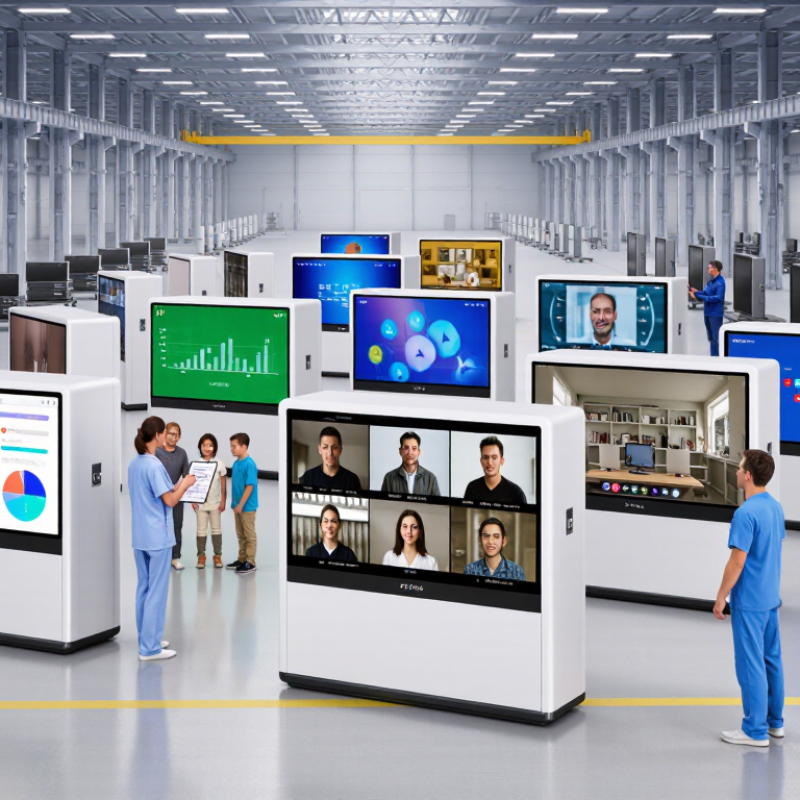
Interactive displays are large digital screens that respond to touch, writing, and gestures. They usually combine a high-resolution panel, touch sensors, speakers, and interactive software. Infrared and capacitive technologies can detect fingers, pens, or several users at once.
In classrooms, teachers can write over maps, diagrams, and videos. Students may solve problems directly on the screen. In offices, teams can annotate documents, compare charts, and join remote meetings.
Training centers use them for simulations and step-by-step demonstrations. Retail staff can also present product information through simple touch menus. The best results come from clear content, not expensive hardware alone.
Tips: Check touch accuracy, screen brightness, viewing angles, and anti-glare performance. Test the display with dry hands and writing pens. Confirm that its ports, operating system, and meeting software match your existing equipment. Ask about installation, updates, warranty coverage, and data protection. A beautiful screen can still fail when cables are poorly planned.
Real-world use also reveals small problems. Fingerprints appear quickly. Strong sunlight can reduce visibility. Some older software responds slowly or loses pen pressure. I have seen teams buy oversized displays, then use only basic presentations. That is a costly mismatch. Measure the room, identify daily tasks, and let actual users test the interface before purchase. A reliable interactive display should make work clearer, faster, and more collaborative, while remaining simple enough for occasional users.
When evaluating China’s interactive display manufacturers, start with evidence, not showroom brightness. Futuresource Consulting’s 2024 education technology review indicated that education represented roughly two-thirds of global interactive display demand in 2023. This makes classroom durability especially important. Request measured brightness, touch accuracy, panel lifetime, and failure rates under continuous operation. A 20-unit pilot often reveals more than a polished demonstration.
Check manufacturing depth through factory audits, process records, and sample testing. Ask whether each unit receives calibration, burn-in testing, and serial-number traceability. TÜV Rheinland and IEC safety requirements can help verify electrical and electromagnetic compliance, but certificates should match the exact model. Also compare total ownership cost. A lower purchase price may hide replacement pens, freight delays, software licensing, or difficult repairs.
Software deserves equal attention. Test Android updates, wireless casting, user permissions, data handling, and compatibility with common teaching platforms. IDC’s Worldwide Quarterly Device Trackers consistently show that commercial hardware cycles are shaped by replacement demand and service reliability, not specifications alone. Obtain written warranty terms, spare-part availability, response times, and escalation procedures. Ask for three customer references in similar climates and usage settings. Bright demos can mislead. My evaluation process is not perfect; supplier claims still require independent verification, especially for touch latency and long-term panel performance.
Profiles of China’s Top 10 Interactive Display Manufacturers
China’s top ten interactive display manufacturers serve education, business, training, healthcare, and public environments. This profile compares them through visible capabilities, not advertising claims. The selection considers product range, touch accuracy, software compatibility, factory experience, export support, and documented installations. One manufacturer focuses on classroom panels with simplified controls. Another develops large-format meeting screens with wireless presentation. A third emphasizes high-brightness displays for reception areas. Several combine embedded computers, annotation tools, and remote device management.
Look closely.
Some manufacturers stand out for strong quality control and reliable panel consistency. Others offer flexible customization, including frame colors, camera modules, ports, and mounting systems. One group supports regional distributors with training and replacement parts. Another depends heavily on project-based orders, which may affect delivery speed. Factory visits, sample testing, and service records provide more useful evidence than polished brochures. My assessment would remain cautious when warranty terms seem vague or software updates lack a clear schedule.
Tips: Test writing smoothness across the entire screen, not just one corner. Confirm palm rejection, speaker clarity, port placement, and response time. Ask for energy data, repair procedures, firmware policies, and independent compliance documents. Compare the same screen size under identical lighting. A low price can hide integration work, training costs, or delayed spare parts. Request a pilot unit before ordering many displays. Mistakes happen. Good suppliers explain them clearly and correct them quickly.
| Profile | Primary Product Focus | Typical Screen Sizes | Display Technology | Touch Technology | Typical Touch Capacity | Operating System Support | Connectivity | Manufacturing & Supply Model | Common Application Areas |
|---|---|---|---|---|---|---|---|---|---|
| 01 | Large-format interactive flat panels | 55–98 inches | 4K UHD LED LCD | Infrared or projected capacitive touch | Up to 20 simultaneous touch points | Android and Windows-compatible configurations | HDMI, USB, USB-C, LAN, Wi-Fi and Bluetooth | OEM and ODM production for education and enterprise buyers | Classrooms, meeting rooms and training centers |
| 02 | Education-focused interactive whiteboards | 65–86 inches | 4K UHD LCD with anti-glare glass | Infrared touch frame | 10–40 touch points, depending on configuration | Android embedded system with optional Windows PC module | HDMI, DisplayPort, USB-A, USB-C, LAN and Wi-Fi | High-volume assembly with customized software and casing options | Schools, universities and remote-learning environments |
| 03 | Enterprise collaboration displays | 55–86 inches | 4K LED LCD with low-reflection surface | Infrared or capacitive touch | Up to 20 simultaneous touch points | Android, Windows and browser-based collaboration platforms | HDMI, USB-C video input, Wi-Fi, Bluetooth, LAN and wireless casting | Project-based integration with conferencing and room-control systems | Corporate offices, boardrooms and hybrid-work spaces |
| 04 | Interactive digital signage panels | 43–86 inches | Commercial-grade 4K LCD | Projected capacitive or infrared touch | 10–20 simultaneous touch points | Android, Windows or Linux-based media-player support | HDMI, USB, LAN, Wi-Fi and optional RS-232 | Standard products combined with custom enclosures and CMS integration | Retail stores, museums, visitor centers and public facilities |
| 05 | Mobile interactive presentation displays | 55–86 inches | 4K UHD LED LCD | Infrared touch | Up to 20 simultaneous touch points | Android with optional Windows computing module | USB-C, HDMI, USB-A, Wi-Fi, Bluetooth and built-in casting | Integrated display, trolley and battery-accessory assembly | Flexible offices, classrooms, exhibitions and events |
| 06 | High-brightness outdoor and semi-outdoor displays | 43–75 inches | High-brightness commercial LCD | Projected capacitive or infrared touch | Up to 10 simultaneous touch points | Android, Windows or external media-player operation | HDMI, USB, LAN, Wi-Fi and remote-management interfaces | Custom thermal design, protective glass and enclosure manufacturing | Transport hubs, campuses, hospitality and outdoor retail |
| 07 | Interactive conference room systems | 65–100 inches | 4K UHD LCD with integrated speakers | Infrared touch | Up to 20 simultaneous touch points | Android with support for Windows conferencing computers | HDMI, USB-C, LAN, Wi-Fi, Bluetooth, camera and microphone interfaces | Display assembly combined with audio, camera and conferencing integration | Video meetings, command centers and executive rooms |
| 08 | Interactive kiosks and self-service terminals | 21.5–55 inches | Commercial LCD, Full HD or 4K | Projected capacitive touch | 10-point multitouch is common | Android, Windows or Linux | USB, HDMI, LAN, Wi-Fi, Bluetooth and optional 4G/5G | Custom metal, glass, printer and payment-module integration | Banking, healthcare, ticketing, retail and hospitality |
| 09 | Ruggedized industrial interactive panels | 15.6–55 inches | Industrial LCD with bonded or strengthened cover glass | Projected capacitive or resistive touch | Single touch to 10-point multitouch | Windows, Linux or Android | USB, HDMI, LAN, serial interfaces and optional expansion I/O | Panel-PC, enclosure and industrial-interface customization | Factories, logistics, automation and process control |
| 10 | Custom interactive display solutions | 10–110+ inches | LCD, OLED or transparent display configurations | Capacitive, infrared, optical or custom touch systems | Single touch to 40-point multitouch | Android, Windows, Linux or customer-specified platforms | HDMI, USB, USB-C, LAN, Wi-Fi, Bluetooth and custom interfaces | End-to-end OEM/ODM design, prototyping and contract manufacturing | Transportation, healthcare, retail, education and specialized projects |
Note: Company names and brand-specific figures are intentionally omitted. The specifications shown represent documented product categories and commonly offered configurations in China’s interactive-display manufacturing sector; exact features vary by model, project requirements and production year.
China’s top ten interactive display manufacturers differ less in screen size than in execution. IDC’s 2023 China Smart Interactive Flat Panel Tracking Report estimated that education represented about 70% of domestic shipments. That share rewards reliable touch performance, simple classroom control, and fast service. A bright 86-inch panel is useful, but a five-second start-up matters more during a busy lesson.
Commercial buyers need a broader comparison. Omdia’s 2024 large-format display research identified China as a major manufacturing base for professional displays. The strongest suppliers combine 4K panels, low-latency writing, wireless casting, and central device management. Their product ranges often cover 55-inch meeting screens, 75-inch collaboration panels, and 86-inch teaching displays. Some also provide cameras, microphones, and software ecosystems.
Capabilities still separate the leaders. Look for ISO-certified production, calibrated touch accuracy, stable Android or Windows integration, and documented failure rates. TÜV Rheinland’s display testing guidance emphasizes eye comfort, flicker control, and blue-light management, which should influence procurement decisions. Yet specifications can mislead. A fast processor cannot repair poor after-sales support. Warranty response times, spare-part storage, and local technicians deserve equal weight. In practice, buyers should test handwriting, screen sharing, and recovery after network loss. I would also question impressive brightness claims without independent measurement.
Choosing among China’s top 10 interactive display manufacturers requires more than comparing prices. Start with the product’s intended setting: a bright classroom, a boardroom, or a public training room. Ask for a working sample, not only a specification sheet. Test touch accuracy near the screen edges, writing smoothness, speaker clarity, and screen visibility under strong ceiling lights. Small details matter.
A reliable manufacturer should explain panel technology, operating system options, software compatibility, and data protection practices in clear language. Request factory audit records, quality-control procedures, relevant certifications, and a written warranty. Check how defective units are handled. Can the supplier provide replacement glass, touch modules, and mainboards after several years? Response time matters too. A beautiful demo means little if support disappears after payment.
Compare at least three quotations with the same configuration. Confirm memory, storage, ports, camera options, mounting standards, packaging, delivery terms, and minimum order quantities. Ask whether software updates are regular and documented. Visit the factory when possible, or arrange a live production inspection. Photos can mislead. They often do. A useful but imperfect approach is to score each supplier in a simple table, then speak with two recent customers. Do not ignore uncomfortable answers. A manufacturer that admits limitations may be more dependable than one promising everything.