Top 10 Digital Menu Solutions for Restaurants
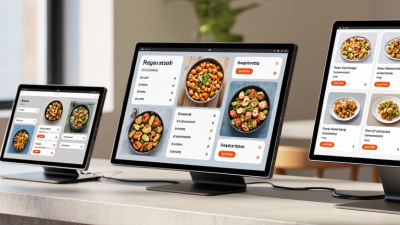
A digital menu for restaurants is more than a QR code or a bright screen above the counter. It shapes what guests notice, how quickly they choose, and whether they understand a dish before ordering. “The menu is your number one marketing tool,” says menu engineer Gregg Rapp. Digital formats extend that idea, giving operators room to update prices, highlight seasonal specials, and show clear food photography without reprinting every page.
The right platform should fit the restaurant, not just look polished in a sales demo. A neighborhood café may need simple edits and readable layouts; a busy, multi-location group may need centralized controls, ordering integrations, and language options. Look closely at setup costs, hardware requirements, accessibility, and how easily staff can correct a typo. Small details matter. A slow-loading menu at a crowded lunch rush can frustrate guests.
This Top 10 guide compares digital menu solutions by practical features, usability, flexibility, and likely fit for different restaurant needs. It also considers the less glamorous work: keeping item descriptions accurate, training staff, and maintaining screens or links. No tool fixes confusing menus or weak service on its own. And rankings have limits; a feature that helps one operator may burden another. Use the comparisons as a starting point, then test your shortlist with real staff and guests before committing.
What Digital Menu Solutions Are and How Restaurants Use Them
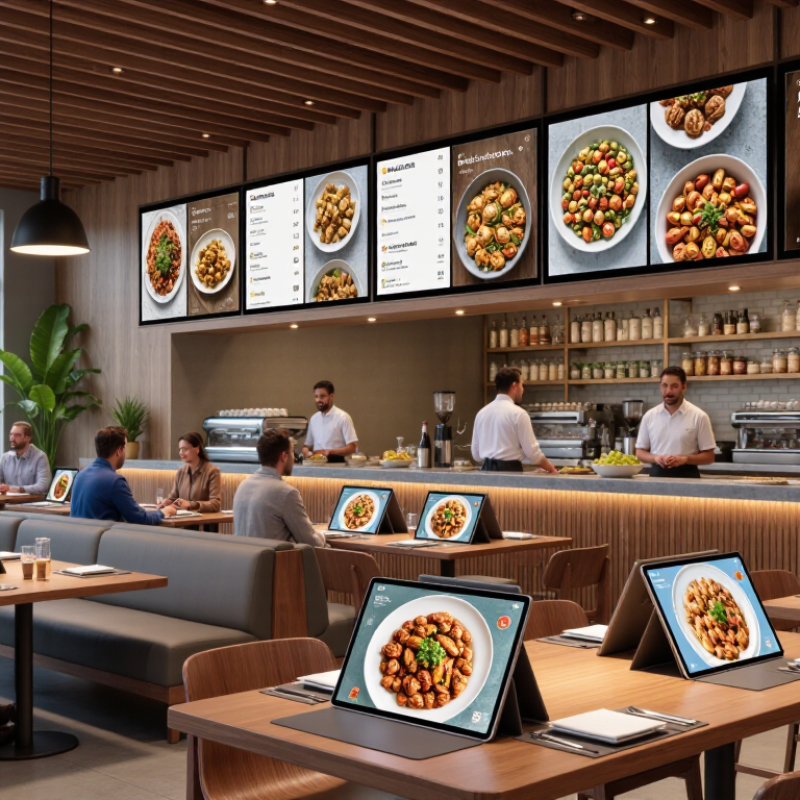
Digital menu solutions are tools that let restaurants display, update, and organize menu information on screens, tablets, or customers’ phones. Some use QR codes at tables; others show dishes on counter displays or kiosks. A manager can change a price, mark a soup unavailable, or add an allergy note without reprinting every menu. Small updates matter. Still, a digital menu is not automatically easier for every guest.
Restaurants use these systems to present clear sections, photos, ingredient details, and options such as side dishes or portion sizes. At lunch, a bright screen can make a daily special easier to spot. At a busy counter, a tablet may help staff keep orders consistent. Some systems connect with ordering or payment tools, but the setup varies. Check how updates sync, and test changes before service. A polished photo can help, yet it should show a dish guests will actually receive. That gap deserves attention.
Tips: Keep text readable from a seated position, and offer a simple way to view the menu without a personal phone. Review prices, availability, and dietary notes before opening. Ask staff where guests hesitate; their observations may reveal confusing labels or missing details. Screens can save paper, but they can also feel impersonal. Use them thoughtfully.
Core Features and Technologies Behind Digital Menu Platforms
Digital menu platforms do more than replace printed pages. They connect a guest-facing display with a content management system, point-of-sale data, and sometimes inventory tools. Cloud updates can change prices or mark an item unavailable across several screens within minutes. QR codes and near-field communication let diners open menus on their own devices, while in-store displays support guests who prefer not to scan. Small details matter. Clear photos, readable type, and visible allergen information can make a menu easier to use.
The National Restaurant Association’s 2024 State of the Restaurant Industry report found that 76% of operators viewed technology as a competitive advantage. That figure supports investment, but not every feature earns its keep. Useful analytics track item views and sales, helping managers compare a popular dish with its actual orders. Integrations can reduce repeated data entry, though mismatched product names or delayed syncing still create errors. Accessibility settings and multiple language options also help serve a wider range of guests.
Tips: Test a price change on a real screen before opening. Check the menu on a small phone, in bright light, and with slow internet. A digital menu can be convenient—and still feel clumsy when updates lag.
Criteria for Evaluating Restaurant Digital Menu Solutions
A restaurant digital menu should be judged by how reliably it works during service, not just how polished it looks in a sales demo. Check whether prices, sold-out items, and modifiers sync with the point-of-sale system. A price change made before lunch should appear on every screen. The National Restaurant Association’s 2024 State of the Restaurant Industry report found that 76% of restaurant operators view technology as a competitive advantage. That is useful context, not proof that every new tool pays off. Adoption alone is not a result.
Test the menu on a small phone and a bright counter display. Can guests read item names without zooming? Are allergy details easy to find and update? Check that the interface supports keyboard navigation and readable contrast. Test a busy period, too. A slow-loading menu can frustrate guests just when staff have the least time to help. I would not trust a flawless demonstration; real service is messier.
Compare the full cost, including setup, staff training, hardware, and support. Ask how often menu data can be backed up and what happens during an internet outage. Review analytics for useful signals, such as item views and completed orders, while avoiding conclusions from a few quiet days. Then trial the solution at one location and ask guests and staff what felt confusing. Some feedback may be inconvenient. Keep it.
Criteria for Evaluating Restaurant Digital Menu Solutions
Suggested evaluation weights for comparing digital menu tools. These are framework weights, not measured market statistics.
Prioritize easy menu updates, reliable point-of-sale integration, and an accessible customer experience. Adjust the weights to match your restaurant’s needs.
Top 10 Digital Menu Solutions for Restaurants Compared
Top 10 Digital Menu Solutions for Restaurants Compared
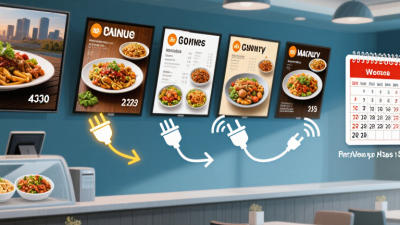
Digital menus range from QR-code pages and mobile ordering sites to countertop tablets, self-service kiosks, and overhead display boards. Each solves a different service problem. A QR menu is inexpensive to update, but guests need a phone and a reliable connection. Kiosks can ease queues, while staff still need to help customers who prefer personal service. No format fits every dining room.
Compare the options by setup cost, accessibility, update speed, integration with ordering, and performance during internet outages. The National Restaurant Association’s 2024 State of the Restaurant Industry projected U.S. restaurant sales at $1.1 trillion that year, underscoring the scale of a sector where small service delays can matter. That figure is not proof that digital menus increase sales. It is a reason to test whether a solution makes ordering clearer. Check how it displays prices, allergens, and modifiers on a small screen. Also test changes during a busy shift. The comparison is imperfect; vendor claims and real-world workflows do not always align.
Tips: Test one menu format during a quiet service first. Ask guests and staff what felt confusing. Keep a printed backup. It helps.
How to Choose and Implement the Right Digital Menu Solution
Choosing a digital menu starts with the way guests actually order. Watch a busy service: do diners scan a code, order at a counter, or ask staff for help? The right setup should fit that flow, not add extra steps. Check how easily staff can update prices, mark items unavailable, and change descriptions. Ask about setup fees, ongoing costs, support, and whether the menu works when Wi-Fi is unreliable. Test it during a real shift.
Content matters as much as software. Use clear item names, current prices, and concise descriptions that answer common questions. Verify ingredient and allergen details with the person responsible for the kitchen; do not assume old menu data is accurate. Make text readable on a small screen, and check that guests can navigate without relying on color alone. Keep a printed option nearby. Some people simply prefer it.
Before a full launch, try the menu with a small group of staff and customers. Test it on different phones, in dim light, and with a weak connection. Watch where people hesitate. Train staff to explain the ordering steps and report errors, then assign one person to review updates regularly. That part is easy to underestimate. A polished menu can still confuse guests if item names differ from what staff call them. Track order mistakes and customer questions for a few weeks, then adjust.