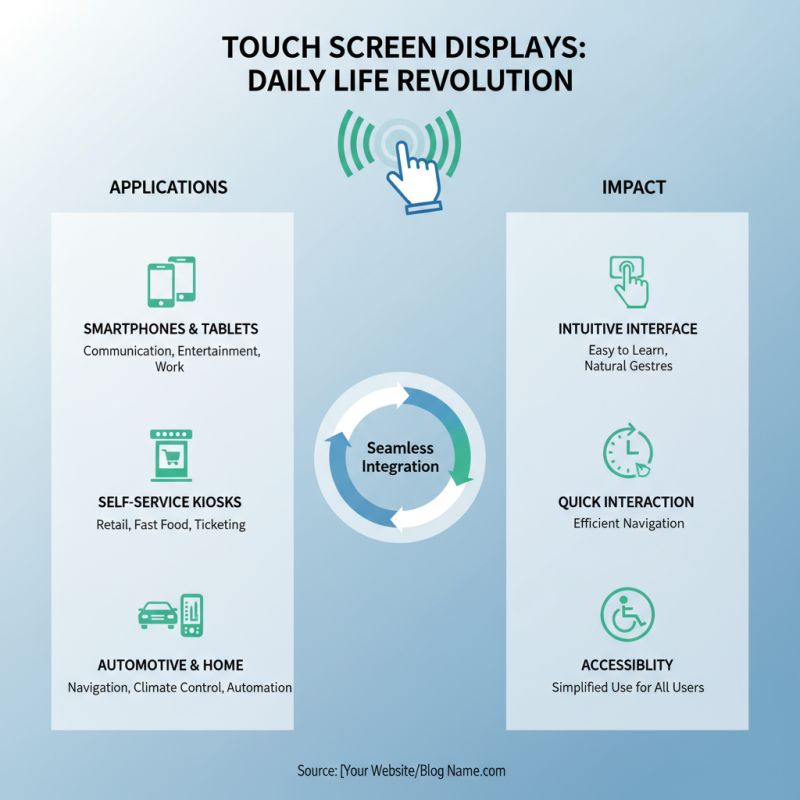
Touch screen displays have transformed the way we interact with technology. The global market for these displays is expected to reach USD 75.6 billion by 2025, reflecting a compound annual growth rate of 11.2%. This rapid growth highlights how integral touch screen displays have become in our daily lives, spanning smartphones, tablets, and kiosks. Experts emphasize their importance; for instance, Dr. Jane Morgan, a leading figure in display technology, states, "Touch screen displays enhance user engagement significantly."
The way touch screens operate is both fascinating and complex. They utilize technologies like capacitive and resistive sensing to detect user input. While the convenience they offer is undeniable, there are challenges, such as glare and durability concerns. Users often overlook the need for protective solutions. As Dr. Morgan notes, "While touch screen displays are innovative, we must also consider their limitations and the need for continual enhancements."
As we delve deeper into the workings of touch screen displays, it becomes clear that innovation is a double-edged sword. They promise greater interactivity but may not be suitable for every environment or user type. Ensuring their efficiency and longevity encourages ongoing research in the industry. The evolution of touch screen displays is an exciting journey, yet it is essential to approach it critically.

A touch screen display is an interface that allows users to interact directly with what is displayed. It differs from traditional screens that require a mouse or other devices. This technology has revolutionized how we use devices, making interactions more intuitive.
Touch screen displays work by sensing touch input through various methods. Capacitive screens detect touch by measuring changes in capacitance. Resistive screens, on the other hand, respond to pressure applied to the surface. There are other types as well, like infrared and optical. Each type has its strengths and weaknesses. Capacitive screens are sensitive but can be affected by water. Resistive screens work well with gloves but are less responsive.
Understanding touch screen technology enhances how we design user experiences. As we rely more on touch interfaces, it’s vital to consider their limitations. Not every device benefits from a touch interface. Some situations may call for traditional input methods to avoid frustration. Emphasizing careful design can lead to better usability.
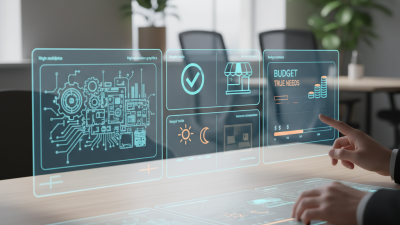
Touch screen technology has evolved significantly over the years, and several types cater to different needs. Resistive touch screens consist of two transparent conductive layers. When pressure is applied, these layers make contact. This technology is popular due to its affordability and reliability. However, it requires direct pressure, which might lead to user fatigue over time.
Capacitive touch screens use the electrical properties of the human body. They detect touch through changes in capacitance. This type of display allows for multi-touch gestures, providing a more interactive experience. Many users find capacitive screens more responsive and intuitive. Yet, they are often more expensive and can be less effective when used with gloves.
Another noteworthy technology is the optical touch screen. It employs cameras and infrared light to detect touch. This method can track multiple touch points and does not require direct contact. Optical touch screens can struggle with accuracy in bright light, making them less reliable in certain environments. Each technology presents its unique advantages and challenges, highlighting the need for thoughtful selection based on specific use cases.
| Type of Touch Screen Technology | Working Principle | Pros | Cons | Common Applications |
|---|---|---|---|---|
| Resistive | Pressure applied by touch creates a connection between two conductive layers. | Low cost, works with any object, including fingers and styluses. | Lower durability, less clear displays. | ATM machines, industrial controls. |
| Capacitive | Touch alters the electrical field of the conductive layer, registering the location. | High clarity, multi-touch capability. | Only works with conductive objects (fingers, not gloves). | Smartphones, tablets, kiosks. |
| Infrared | Uses a grid of infrared light beams to detect touches. | No physical pressure required, works with any object. | Can be affected by external light sources. | Large displays, public kiosks. |
| Surface Acoustic Wave (SAW) | Uses ultrasonic waves on the touchscreen surface to detect touch. | High durability, excellent image clarity. | Sensitive to dust and water. | Interactive displays, digital signage. |
| Optical | Uses cameras to detect touch by analyzing the light changes on the screen. | Versatile, supports multi-touch. | Performance can drop in bright light. | Interactive tables, large displays. |
Touch screen displays have quickly become the norm in modern technology. They allow users to interact directly with what they see. This direct interaction creates a more engaging experience. But how do these displays detect user input?
Touch screen technology predominantly uses two methods: resistive and capacitive. In resistive screens, pressure on the outer layer triggers a response. This means even a stylus or a finger can work. On the other hand, capacitive screens sense electrical charges. When your finger touches the screen, it disrupts the electric field. This change allows the screen to recognize the point of contact.
These systems have their quirks. Resistive screens may struggle with multi-touch, while capacitive screens can misinterpret nearby objects. Calibration may be needed for both technologies. Users sometimes find the experience less responsive than expected. With ongoing advancements, accuracy improves, but challenges remain. The world of touch screen technology continues to evolve, making daily interactions more intuitive.
Capacitive and resistive touch screens operate on different principles.
Capacitive screens use the electrical properties of the human body.
When a finger touches the screen, it changes the screen's electrostatic field. This change is registered as input.
According to a report from MarketsandMarkets, the global capacitive touch screen market is expected to grow to $14.50 billion by 2025.
This growth is due to their sensitivity and multi-touch capability.
On the other hand, resistive touch screens rely on pressure.
They consist of two thin, transparent layers separated by a gap.
When pressure is applied, the layers touch, registering input. Resistive technology is often cheaper and works well with styluses, gloves, and fingers.
Multitouch is limited, affecting its popularity.
A report from Technavio states that the resistive touch screen market will reach $5.12 billion by 2024, although its growth rate is slower compared to capacitive systems.
Both technologies have their merits and flaws.
Capacitive screens offer a clearer image and better responsiveness but struggle with wet fingers.
Resistive screens may be less responsive and have lower durability.
Users should weigh the pros and cons before choosing the right technology for their needs.
Touch screen displays have become an integral part of our daily lives. From smartphones to self-service kiosks, their applications are vast. These screens allow for quick interactions. Users can tap, swipe, or pinch to navigate and select. They provide a more intuitive experience compared to traditional interfaces.
In public spaces, touch screens have improved convenience. They streamline processes in banks and retail stores. Customers can check balances, place orders, or find directions. However, there can be challenges. Some find touch screens unresponsive, especially in crowded environments. There is also a concern about shared screens spreading germs.
In education, touch screens have transformed learning. Interactive boards engage students more effectively. Yet, not all educators are trained to use this technology to its full potential. This discrepancy can lead to underutilization in classrooms. Touch screens enhance communication, but this is not without issues. Users may become overly reliant on them, missing out on developing other skills.