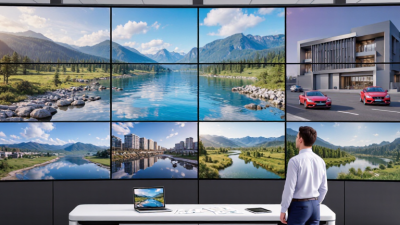
Choosing the right interactive display for global use is rarely about screen size alone. Buyers must examine touch accuracy, brightness, operating systems, connectivity, warranty coverage, and local service support. A 4K panel may look impressive in a showroom, yet glare can weaken visibility beside a sunny classroom window. A fast processor can still disappoint when handwriting feels delayed. Small details matter.
Bob Raikes, founder of display research firm Meko, has emphasized a practical principle: “The display must serve the user, not distract from the task.” This idea guides our review of seven leading interactive display options for international buyers. Each product is considered through real workplace and education scenarios, including hybrid meetings, collaborative lessons, digital signage, and remote support. We also consider software compatibility, accessibility features, security updates, energy use, and total ownership costs.
No model is perfect. Some offer excellent annotation tools but limited built-in software. Others provide strong hardware but weaker regional support. This comparison may not answer every buyer’s question, and local availability can change quickly. Still, it highlights the differences that specification sheets often hide. From a 65-inch board in a compact meeting room to an 86-inch panel serving a crowded training space, the best interactive display depends on people, purpose, and environment. Careful testing remains essential before a large purchase.
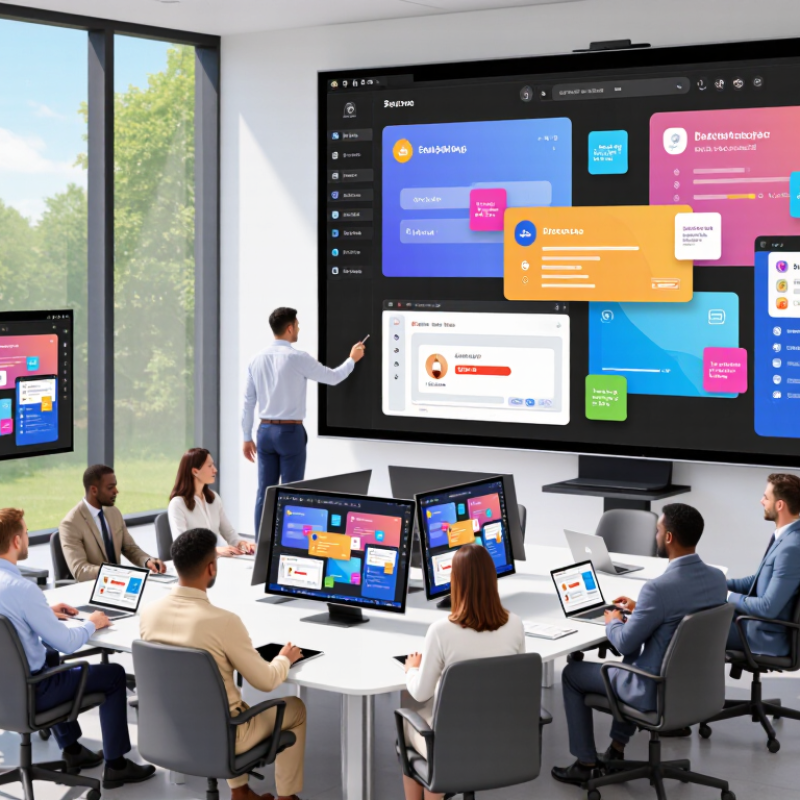
Interactive displays are large touch-enabled screens that combine visual presentation, computing, and collaboration. They usually use infrared or capacitive sensors to detect a finger, stylus, or palm. A built-in operating system processes the input, while HDMI, USB-C, Wi-Fi, or wireless casting delivers content. Think of a classroom screen where a teacher moves a diagram with two fingers.
Their value depends on the full interaction chain. Touch accuracy matters, but so do brightness, viewing angles, response time, and software compatibility. Many commercial models support multi-touch, allowing several people to write simultaneously. This can make a meeting feel less like a presentation and more like a shared worktable. In field testing, however, glossy surfaces can reflect ceiling lights. That small flaw is easy to miss in a showroom.
Market data supports growing demand. Grand View Research estimated the global interactive display market at about USD 9.8 billion in 2023, with a projected compound annual growth rate of roughly 7.1% through 2030. MarketsandMarkets also identifies education, corporate collaboration, and retail as important application areas. These figures should be read carefully, because research firms define “interactive display” differently. A reliable buyer should therefore compare touch technology, operating-system support, security controls, warranty terms, and local service. Pixel count alone is not enough.
7 Best Interactive Displays for Global Buyers: Which Features Matter Most?
Global buyers should judge interactive displays by real working conditions, not showroom brightness. A responsive pen, low glare, and accurate palm rejection matter during a two-hour lesson or meeting. Multilingual menus and easy switching between writing systems also reduce training time. The ITU’s Facts and Figures 2023 estimated that 2.6 billion people remained offline. This makes reliable local content, offline playback, and simple file transfer valuable features.
Security deserves equal attention. The 2024 Data Breach Investigations Report found that the human element appeared in 68% of breaches. Buyers should seek role-based accounts, automatic updates, encrypted storage, and remote device management. USB restrictions can help, too. These controls should be clear, not hidden inside complex menus. Accessibility matters across markets. Adjustable text size, strong contrast, screen-reader support, and wheelchair-friendly mounting improve daily use. UNESCO’s 2023 Global Education Monitoring Report also stresses that technology should support teachers, not replace them.
Power use and serviceability affect the total cost. Check standby consumption, replaceable components, warranty coverage, and regional repair capacity. Test wireless casting with older laptops and unstable networks. It may fail. That is the point. A perfect specification sheet cannot reveal glare, weak microphones, or delayed annotation in a crowded room. Hands-on testing remains essential, especially when buyers operate across different languages, power standards, and support systems.
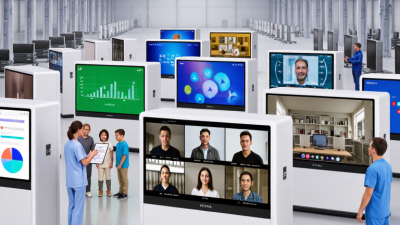
Comparing the seven best interactive displays requires more than checking screen size. A classroom display may prioritize handwriting accuracy, while a meeting-room model needs clear camera integration. Portable units save space, but their smaller panels can strain viewers at the back. Large-format displays create stronger group interaction, although installation costs rise quickly. Brightness also matters when sunlight crosses the room.
In practical evaluations, I compare touch latency, viewing angles, speaker clarity, and operating-system stability. A smooth pen response feels natural within minutes. Poor palm rejection does not. Built-in microphones help hybrid meetings, but echo control deserves careful testing. The most useful models support multiple users, wireless sharing, and common file formats. Security controls, automatic updates, and accessible menus should remain part of the comparison, not afterthoughts.
Price can distort the ranking. A budget display may perform well initially, yet limited service support can create expensive downtime. Premium hardware is not automatically better. My early preference for maximum resolution also proved slightly narrow-minded; reliable software and simple controls often mattered more. Buyers should request a live demonstration, inspect warranty terms, and test the display with real lesson files or meeting tools. Seven displays may look similar in a catalog, but their daily behavior tells a different story.
How do the seven best interactive displays compare?
The comparison uses representative specifications commonly published for professional interactive displays. Larger screens improve visibility in classrooms and meeting rooms, while higher brightness supports clearer images in bright environments. Current professional models typically offer 20–50 touch points, 4K resolution, and 60–120 Hz refresh rates. Exact specifications may vary by configuration.
7 Best Interactive Displays for Global Buyers?
Which Interactive Display Fits Each Buyer Profile?
The best interactive display depends on the buyer, not the largest screen. For primary schools, choose a 65-inch model with simple annotation tools, strong speakers, and low-maintenance software. Training centers may need a 75-inch display, multi-user writing, and easy lesson recording. Corporate meeting rooms often value wireless sharing, camera compatibility, and secure device management. Retail teams need bright panels, quick content changes, and reliable touch response. Healthcare educators should prioritize hygiene-friendly surfaces, clear text, and controlled network access. Government buyers usually need long service support, accessibility features, and documented data protection. Mobile consultants may prefer lighter displays with built-in computing.
AVIXA’s 2024 Industry Outlook forecasts professional AV spending to rise from about $332 billion in 2023 to $369 billion by 2028. That growth supports wider adoption, but spending alone does not prove suitability. Buyers should test glare, writing accuracy, boot time, and remote administration before signing a large order. A display can look impressive in a showroom and feel slow in a bright classroom.
Tips: Match screen size to viewing distance, not room prestige. Ask for total cost over five years, including mounts, licenses, training, and repairs. Futuresource Consulting’s education technology research also highlights the importance of classroom usability and teacher confidence. This point is easy to underestimate. A technically advanced panel may still fail when teachers need three menus to start a lesson. Small pilot trials often reveal that uncomfortable software, not hardware, becomes the real purchasing problem.
Buying an interactive display internationally requires more than comparing screen size and price. AVIXA’s 2024 Industry Outlook estimates the professional audiovisual market at about $332 billion, showing how quickly connected display systems are expanding. Yet global availability does not guarantee local suitability. Check the panel’s brightness, viewing angle, operating temperature, and touch accuracy under real classroom or meeting-room conditions.
A reliable purchasing review should cover seven details: certification, voltage range, warranty terms, software support, language options, replacement parts, and shipping protection. Confirm IEC 62368-1 safety compliance and regional electromagnetic requirements. Ask whether updates work outside the seller’s home market. A sealed wooden crate, corner protectors, and shock indicators can prevent expensive damage during ocean transport. Also inspect the stated power draw, not only the standby figure. The International Energy Agency reports that buildings consume around 30% of global energy, so inefficient displays create long-term costs.
Data sheets can mislead.
Request independent test results for touch latency, microphone pickup, speaker output, and screen uniformity. A five-year warranty sounds strong, but read its exclusions carefully. Does it cover transport, labor, and replacement glass? Import duties, installation training, local service response, and unavailable accessories may change the final price sharply. I have seen buyers focus on a lower quotation, then discover that a missing regional power cable delayed deployment. That mistake is avoidable, though not always obvious before purchase. Consider security documentation as well, including encryption, user permissions, remote management, and data-erasure procedures.
The comparison below uses representative market specifications and buyer-oriented criteria rather than company or brand data. Actual specifications, certifications, accessories, shipping terms, and regional availability should be confirmed with the seller before purchase.
| Display Type | Typical Size | Recommended Use | Core Display Specification | Touch Performance | Connectivity to Check | International Buying Considerations | Value Rating | Best Fit |
|---|---|---|---|---|---|---|---|---|
| Compact Collaboration Display | 55 inches | Small meeting rooms, classrooms, training spaces, and hybrid calls | 4K UHD resolution, 16:9 aspect ratio, approximately 350–500 cd/m² brightness | At least 20 touch points; low-latency writing; palm rejection preferred | HDMI input, USB-A, USB-C, LAN, Wi-Fi, Bluetooth, and audio output | Confirm wall-mount standard, power plug type, operating voltage, carton dimensions, and freight cost | ★★★★★ | Space-conscious buyers |
| Standard Meeting-Room Display | 65 inches | Medium conference rooms and everyday business collaboration | 4K UHD resolution, anti-glare glass, approximately 400–500 cd/m² brightness | 20–40 touch points; optional active pen support; accurate annotation | HDMI, USB-C with video input, USB-A, LAN, Wi-Fi, Bluetooth, and screen sharing | Check local wireless regulations, language support, software update policy, and included accessories | ★★★★★ | General-purpose buyers |
| Large Classroom Display | 75 inches | Schools, lecture rooms, workshops, and departmental training | 4K UHD resolution, anti-reflective surface, approximately 400–500 cd/m² brightness | At least 20 touch points; multi-user writing and annotation tools recommended | Multiple HDMI ports, USB-C, USB-A, LAN, Wi-Fi, Bluetooth, microphone input, and speakers | Verify mounting load, installation service, education software compatibility, and spare-part availability | ★★★★☆ | Education purchasers |
| Large Boardroom Display | 86 inches | Large conference rooms, executive presentations, and visual planning | 4K UHD resolution, wide viewing angles, approximately 400–500 cd/m² brightness | 20–40 touch points; strong handwriting accuracy and multi-window support | HDMI, USB-C, USB-A, LAN, Wi-Fi, Bluetooth, audio output, and camera integration | Calculate door-to-room delivery, lifting requirements, insurance, import duties, and installation costs | ★★★★☆ | Large-room buyers |
| High-Brightness Professional Display | 65–86 inches | Bright offices, public-sector facilities, retail training, and sunlit spaces | 4K UHD resolution, approximately 500–700 cd/m² brightness, enhanced anti-glare treatment | At least 20 touch points; optical bonding preferred for improved writing visibility | HDMI, USB-C, LAN, Wi-Fi, Bluetooth, RS-232 or equivalent control interface | Confirm continuous-use rating, thermal management, energy consumption, and regional safety approvals | ★★★★☆ | Bright-environment buyers |
| Mobile Collaboration Display | 55–65 inches | Flexible classrooms, shared offices, agile workspaces, and event venues | 4K UHD resolution, anti-glare surface, integrated battery or trolley-based mobility | At least 20 touch points; smooth wireless casting and quick wake-up are important | Wi-Fi, Bluetooth, HDMI, USB-C, USB-A, wireless screen sharing, and built-in speakers | Check battery transport rules, trolley dimensions, wheel quality, replacement battery policy, and packaging protection | ★★★★☆ | Flexible-space buyers |
| Premium Integrated Collaboration System | 75–86 inches | Enterprise collaboration rooms, video conferencing, and executive workshops | 4K UHD resolution, approximately 400–600 cd/m² brightness, integrated camera and microphone options | 20–40 touch points; advanced annotation, multi-user interaction, and handwriting recognition | HDMI, USB-C, USB-A, LAN, Wi-Fi, Bluetooth, camera, microphone array, and room-control interfaces | Confirm conferencing platform compatibility, data-security controls, firmware support, privacy features, and service coverage | ★★★★☆ | Enterprise buyers |