Top 10 Digital Menu Solutions for Restaurants
A digital menu for restaurants is more than a screen replacing a printed page. It can help guests browse dishes, check prices, and understand options before ordering. For operators, the right platform may also make menu updates easier across locations and service channels. But no tool fixes unclear descriptions or inconsistent operations. That part still takes work.
This guide reviews 10 digital menu solutions for restaurants, with attention to practical needs rather than flashy feature lists. We consider setup, menu editing, QR-code access, ordering integrations, accessibility, and pricing transparency. These details matter during a busy lunch rush, when a slow-loading menu or outdated price can frustrate both guests and staff. Small details count.
The best fit depends on how a restaurant serves customers. A neighborhood café may need simple updates and readable menus, while a multi-location group may prioritize centralized controls and system integrations. Some platforms offer broader capabilities, but those can mean extra setup or cost. A feature is not automatically useful because it exists. Restaurants should confirm compatibility, test the guest experience on common phones, and ask providers about support and data handling. This overview offers a starting point for comparing options, not a promise that one solution suits every business. Even a careful shortlist can miss a workflow detail that only becomes obvious during service. That is worth checking before making a decision.
What Digital Menu Solutions Are and How They Work
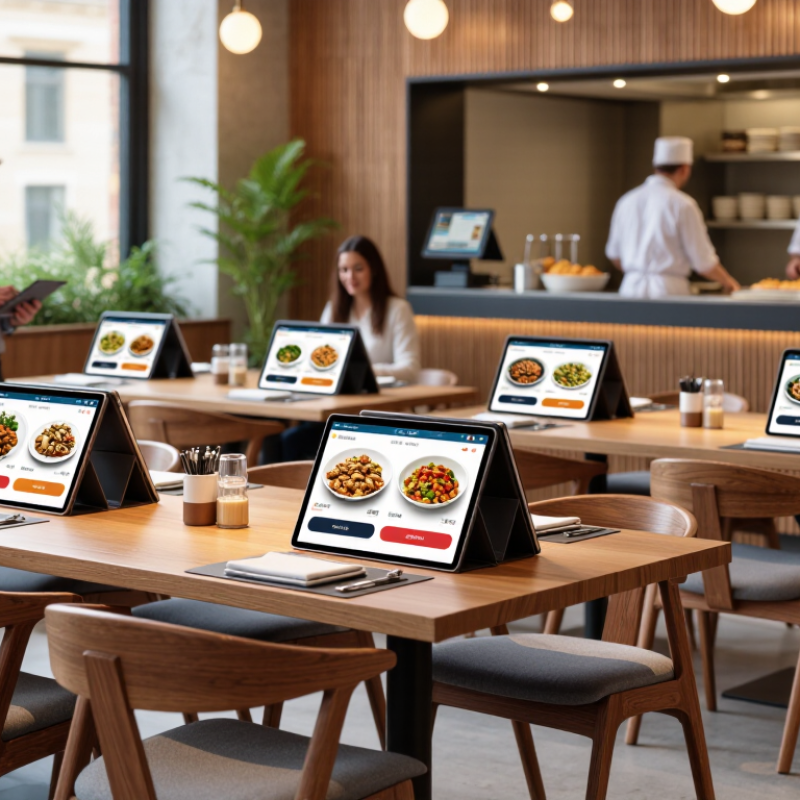
A digital menu is a restaurant’s food and drink list shown on a screen or opened through a scannable code. It can display item names, descriptions, prices, photos, and dietary details. Some menus also let guests customize dishes or place orders. A guest might tap “no onions,” choose a side, and see the updated price before submitting. Menus may appear on table displays, wall screens, or a phone. The format depends on how guests order and how the restaurant operates.
Behind the screen, menu information is stored in a management system. Staff can edit an item’s price, mark it unavailable, or change its description, then publish the update to connected screens. In a well-configured setup, changes appear quickly. When a menu connects to the ordering and payment systems, selected items can pass to the kitchen without being re-entered. That reduces some errors, though it does not prevent every mistake. A missing modifier or unclear dish name can still cause confusion.
The screen needs care. Staff should check prices, availability, and wording before service, especially after a recipe change. Bright photos can help, but readable text matters more in dim lighting. Menus should also work for guests who cannot scan a code or comfortably use a small screen. The setup is rarely perfect. A low battery, weak connection, or stale menu can frustrate both guests and staff.
Digital Menu Display Formats
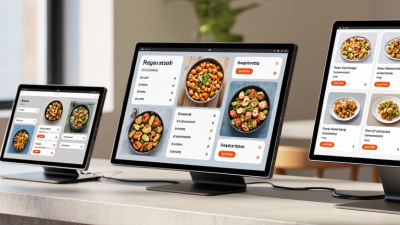
Digital menu solutions use content-management software to send menus to connected displays. Choose a screen layout that suits the space and the way customers read the menu.
The bars compare width-to-height ratios for common display formats. Resolution examples are shown in the labels; actual screen sizes and supported resolutions vary. Landscape formats are wider than they are tall, while portrait formats are taller.
Key Features That Distinguish the Top 10 Platforms
The strongest digital menu platforms make routine updates quick and accurate. A manager should be able to change a lunch price, mark an item unavailable, and publish the change without rebuilding the whole menu. Clear scheduling tools also help restaurants switch menus at opening, during happy hour, or after a seasonal ingredient runs out. Small details matter. Less friction.
Ordering and payment features distinguish platforms, too. Look for readable menus on small phone screens, clear modifiers, and a checkout flow that does not bury fees. Useful integrations can send orders to kitchen displays or point-of-sale systems, reducing the need to retype a table’s choices. However, integration claims should be checked against the restaurant’s actual equipment. A polished demo is not proof of a smooth service rush.
Reporting tools can show which dishes attract attention and where customers abandon an order. These signals are helpful, but they do not explain every choice; staff feedback and changing foot traffic add context. Accessibility options, multiple language support, and reliable loading on weak Wi-Fi deserve equal attention. Test them in the dining room. A platform may still have awkward settings or a learning curve, so compare real workflows, support response times, and total costs—not just feature lists.
A Comparison of 10 Digital Menu Solutions for Restaurants
A useful comparison of ten digital menu solutions starts with the restaurant’s daily workflow, not the screen design. QR-code menus are inexpensive to update, while tablet menus let guests browse without using a phone. Self-service kiosks can reduce queue pressure, but need counter space and regular cleaning. Digital boards suit quick-service counters; they are less convenient for guests who want to compare dishes at a table.
Other options include point-of-sale-linked displays, multilingual menus, menus with detailed dietary filters, online ordering menus, offline-ready menus, and analytics-enabled platforms. Each solves a different problem. A connected menu can reflect price changes quickly, but setup may take staff time. Dietary filters are helpful only when ingredient information is kept accurate. Analytics may reveal popular items, yet sales data alone cannot explain why guests chose them. No single format fits every service style.
Tips: Test two or three options during a busy shift. Check loading speed on an older phone, readability under bright lights, and how many steps it takes to find prices. Ask staff where updates cause friction. A small detail, like a missing modifier, can disrupt an otherwise polished menu. Some comparisons still depend on assumptions; revisit them after real guest feedback.
How to Choose a Solution for Your Restaurant
Choosing among the top digital menu solutions starts with your restaurant’s actual service pattern. A café with a short queue needs fast item edits; a busy dining room needs clear modifiers and reliable ordering. Check whether the menu connects to your point-of-sale system, displays prices consistently, and lets staff update sold-out dishes without rebuilding a page. Test it on an older phone, under dim lighting, and with a long item name. Small details matter.
The National Restaurant Association’s 2024 State of the Restaurant Industry report found that 76% of operators viewed technology as a competitive advantage. That is a useful signal, not a guarantee of better service. Compare setup and monthly costs with time saved on menu updates and order corrections. Ask vendors about accessibility, language options, data security, and what happens during an internet outage. A polished screen can still frustrate guests if the checkout flow is confusing.
Tips: Have two staff members and a few regular customers test the menu before launch. Watch where they pause, not just what they say. Review updates after a week; a clumsy category name may be your mistake, not the software’s.
Steps for Implementing and Managing a Digital Menu
A useful digital menu begins with a clear operational goal: reduce ordering friction, update prices faster, or make dietary details easier to find. The National Restaurant Association’s 2024 State of the Restaurant Industry report found that 76% of restaurant operators view technology as a competitive advantage. That is a reason to plan carefully, not to add screens everywhere. Audit your current menu, flag items that change often, and assign one person to approve edits. Then organize categories around how guests actually order. Keep dish names readable, prices close by, and allergen information easy to locate. Check the layout on a phone before launch. Small screens expose awkward line breaks fast.
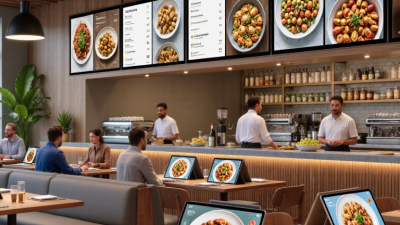
Pilot the menu during a quieter service. Ask staff to test edits, substitutions, and out-of-stock items, then watch where guests pause. A photo of a crowded lunch counter can reveal more than a spreadsheet: glare, tiny text, or a screen hidden behind a queue. Not glamorous, but useful. Track order errors, update time, and guest questions for several weeks. Compare results with your baseline, rather than assuming a new menu caused every change. Review the menu monthly, and after each price or seasonal update. Keep a dated backup of the previous version. Digital menus are easy to change; that does not mean every change improves them. (Word count: 179)